The `rg` We Didn't Check

When using Codex from the VS Code integrated terminal, a strange popup would occasionally appear.
rg could not be opened.
The dialog looked serious enough. On its own, it made the run look blocked.
At first, this still looked like an ordinary local-machine problem. Somewhere, there was probably an rg binary with a quarantine attribute on it, and macOS was objecting when that binary ran.
But the behavior did not quite fit the mood of the popup.
Codex did not seem bothered.
The logs kept moving. After a while, Codex reached Ready, the same as usual.
The system sounded the alarm. Codex kept working as if nothing had happened.
The Symptom
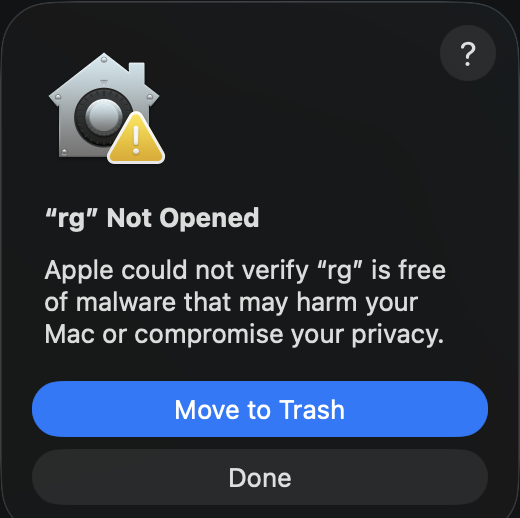
The popup kept coming back.
The environment mattered. I did not see it in iTerm2. I could reproduce it consistently when Codex ran inside the VS Code integrated terminal.
At first, I expected this to be short. A familiar macOS dialog, a familiar executable name, probably one stale attribute somewhere.
Then it happened again. One candidate looked clean. Another looked clean. The dialog came back anyway. Each pass ended less with an answer than with the same quiet conclusion: not that one.
That led to the obvious first question.
Where is rg?
So I checked the obvious candidates.
The Homebrew rg.
The rg bundled with VS Code.
The rg inside the OpenAI VS Code extension.
The one bundled with Copilot.
They all looked clean.
No quarantine attribute. At least, not on the files I had checked.
I checked spctl too.
Homebrew rg.
The rg from VS Code, the OpenAI extension, and Copilot.
Same result.
That still did not identify the binary responsible for the dialog.
The symptom was still there, while the obvious suspects kept disappearing.
The narrowing process was stuck again.
Changing the Question
This is where the investigation stalled for a moment.
Looking for more copies of the same filename was no longer helping. The common places had been checked, and they all pointed in the same direction.
rg looked fine.
More precisely, the rg binaries I had checked looked fine.
The investigation had been asking this:
Where is rg?
That was not a bad question. It just was not specific enough.
For this problem, the better question was:
Which rg does Codex actually execute?
That changed the shape of the search.
The target was no longer every rg on the machine. It was the rg in Codex’s execution path.
Finding the Real Binary
Once the question changed, a different file came into view.
Codex had its own bundled rg inside the cask.
One confirmed path looked like this:
/opt/homebrew/Caskroom/codex/0.144.1/codex-path/rgThis time, the result was different.
That binary still had the quarantine attribute.
That was the missing piece.
The earlier checks were not wrong. The Homebrew binary, the VS Code binary, the OpenAI extension binary, and the Copilot binary were exactly what they appeared to be.
They just were not the binary Codex was executing.
That is why the investigation had felt slippery. The filename was the same, but the execution path was not.
Reproduce
The last step was to prove the chain.
I ran Codex’s bundled rg directly from the VS Code integrated terminal.
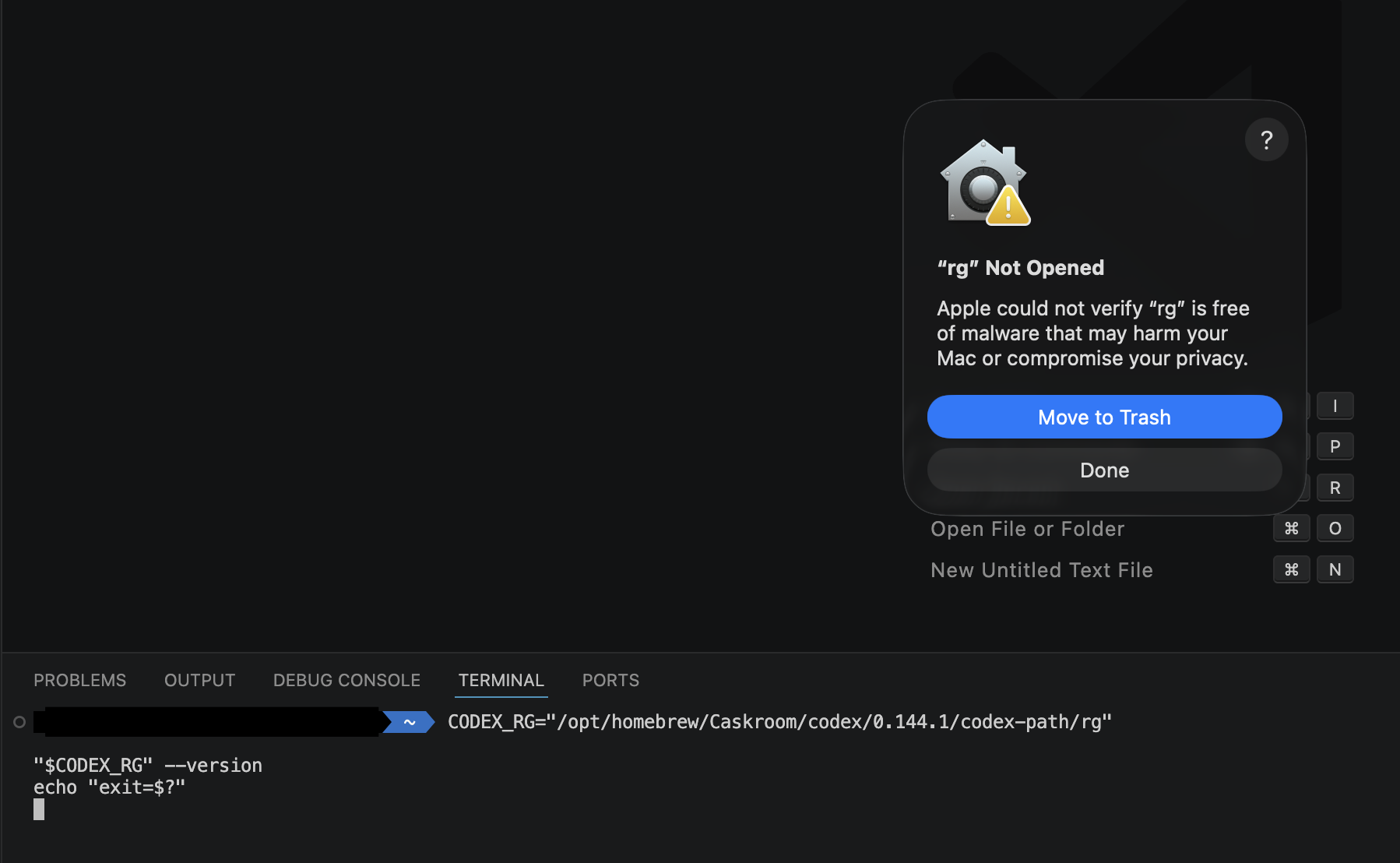
This was the conclusive moment.
The popup appeared immediately.
Gotcha.
Now the evidence lined up. The dialog reproduced in the VS Code integrated terminal. The usual rg candidates did not have the quarantine attribute. Codex’s bundled rg did. Running that exact binary from the same environment produced the same dialog.
It was no longer a vague “some rg somewhere” problem.
The binary Codex actually executed had been identified, and the symptom could be reproduced through that file.
Resolution
The fix was short.
Remove only the quarantine attribute from Codex’s bundled rg.
xattr -d com.apple.quarantine "$CODEX_RG"This did not modify Codex as a whole.
It changed one confirmed binary.
After that, the popup disappeared.
Codex still ran. It still reached Ready, the same as usual.
The only visible difference was that the security dialog stopped interrupting the run.
Same filename. Different executable path.
This rabbit hole is finally behind me.
Time to wander into the next one.
References
-
OpenAI. Codex CLI Documentation.
https://github.com/openai/codex -
Apple Developer Documentation. File System Programming Guide — Extended Attributes (xattr).
https://developer.apple.com/library/archive/documentation/FileManagement/Conceptual/FileSystemProgrammingGuide/FileSystemDetails/FileSystemDetails.html